1
Choose what to capture
Select a browser tab, full screen, area, or camera. Turn microphone and webcam on only when you need them.
 Screen Recorder Pro
Record a tab, your screen, a selected area, or your camera. Your recording is created locally and saved directly to your computer.
Try the workflow
Choose what you want to capture. The preview changes to show the exact frame Screen Recorder Pro will prepare.
Browser tab + microphone. Choose the tab in Chrome, then recording begins after the countdown.
One minute setup
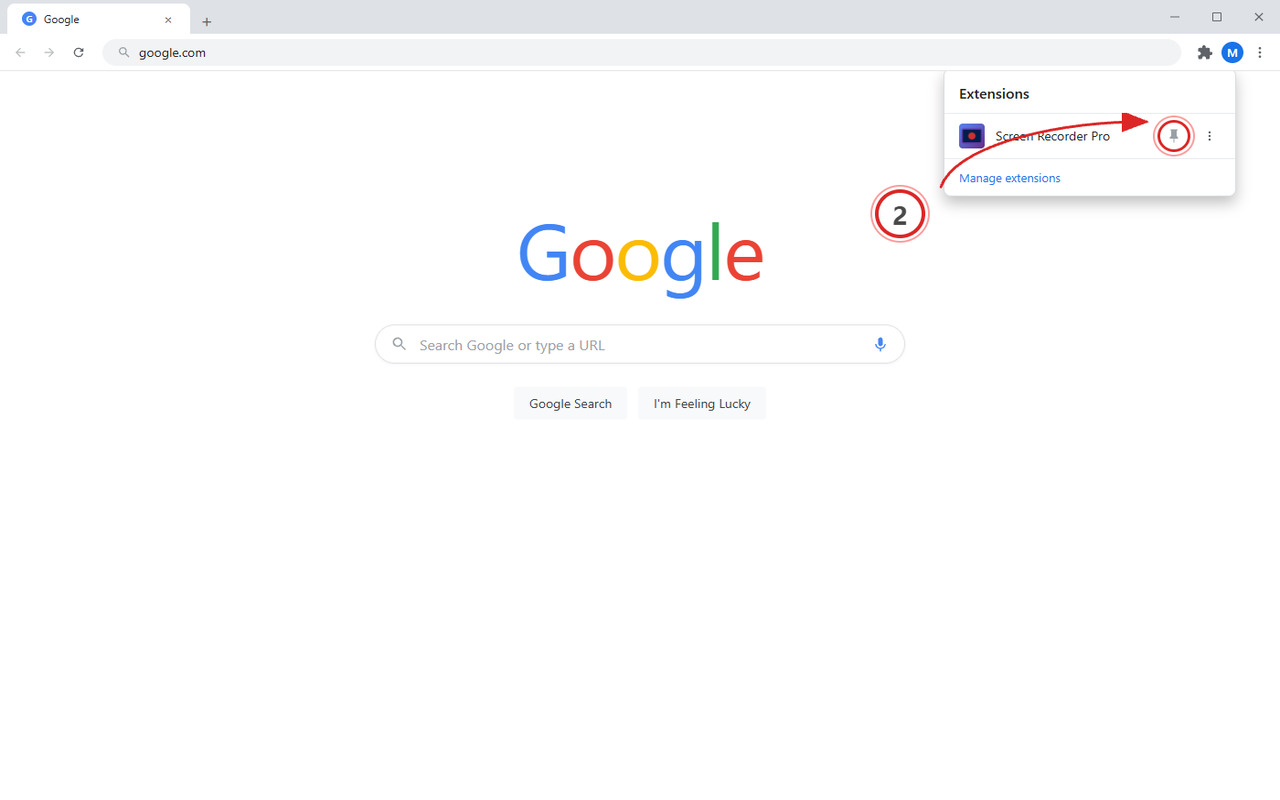
Pin Screen Recorder Pro now so it stays visible beside Chrome's address bar.
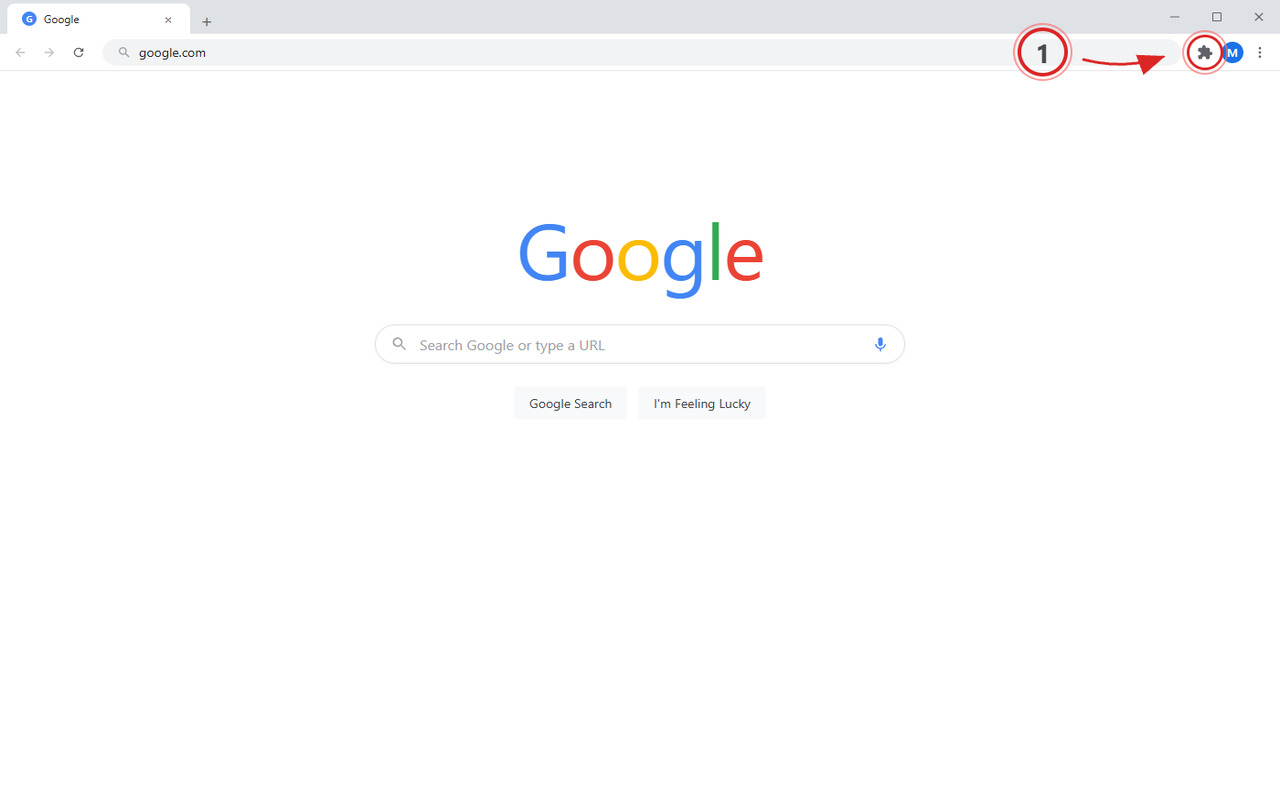
Click Chrome's puzzle-piece icon in the top-right corner.
Click the pin beside Screen Recorder Pro so the icon stays in your toolbar.
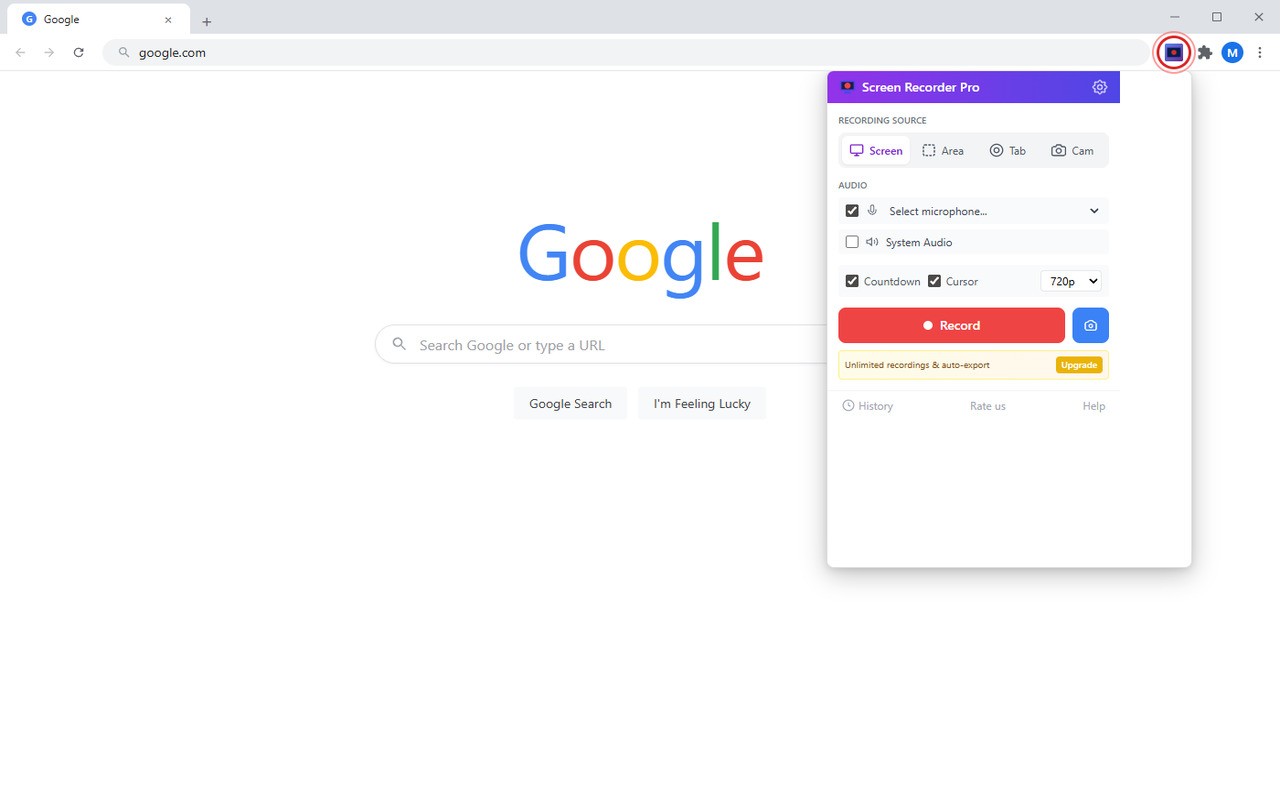
Click the purple camera icon whenever you need to capture something.
First recording
Every recording downloads locally first. If you choose, generate a viewing link without attaching a large video file.
Select a browser tab, full screen, area, or camera. Turn microphone and webcam on only when you need them.
Chrome asks which tab, window, or screen to share. Screen Recorder Pro cannot start until you choose one.
Keep the WebM on your computer, or opt in to upload that recording and copy a private viewing link.
Built for real work
Record support answers, product demos, lessons, bug reports, and quick updates. Upload only the recordings you explicitly choose to share.
Record a tab, screen, selected area, or camera-only message.
Add narration and a camera overlay when the message needs a human face.
Free users can share short recordings. Pro raises the limit to 30 minutes, 500 MB, and 30-day links.
Cut the beginning and end without uploading your recording to an editor.
Turn spoken content into editable text when you need notes or captions.
Remove free-tier limits and the short branded end card.
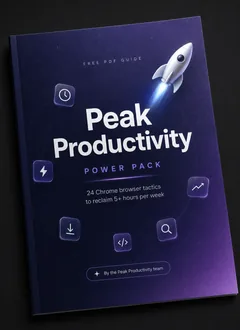
Free workflow guide
Seven practical pages with five workflows for tutorials, bug capture, focused reading, batch image work, and faster data cleanup.
We will email the PDF and occasional product notes. Unsubscribe in one click.Upgrade when recording becomes routine
The free plan is enough to try the complete recording flow. Pro is for people who record often or need cleaner output.
One subscription unlocks Pro features across the suite, including every new extension we release.
$79/year, $149 lifetime, and a 7-day money-back guarantee.
Turn recordings into usable text
Drop in a meeting, interview, tutorial, or bug recording and get a transcript you can search, edit, and export.
Available for Windows 10/11 and Apple Silicon Macs.