Two things gate publication, both browser-only. First, set and verify the publisher contact email on the dashboard Settings page. Then fill every field below on the item edit page, in this order, and submit. The package ZIP is already uploaded (uploadState SUCCESS). Click any Copy button to copy that exact field.
0 Account settings one time per publisher
Developer dashboard, gear icon, Account tab. Required before any item on this publisher can be published.
Contact email
22 chars
Enter it, then click Verify and confirm via the emailed link.
comparendoch@gmail.com
1 Store listing tab
Fields appear in this order on the Store listing page.
Product name
34 / 75
Title shown in the store. 45 or fewer reads best in search results.
ThreadSorter - Gmail Follow-Up CRM
Summary (short description)
120 / 132
The one-line summary under the title.
Gmail follow-up reminders, reply snippets, and a Waiting list in your toolbar. No tracking pixels, no automatic sending.
Description (detailed)
7250 / 16000
Paste into the Description box. Twelve CEF sections with emoji headers.
🎯 Why ThreadSorter?

Important Gmail conversations slip through the cracks every week. A client asks for a revised quote, a candidate is waiting on a final loop, an investor expects a one-line update, and the thread quietly buries itself under newer mail. The cost lands somewhere between an awkward apology and a lost deal.

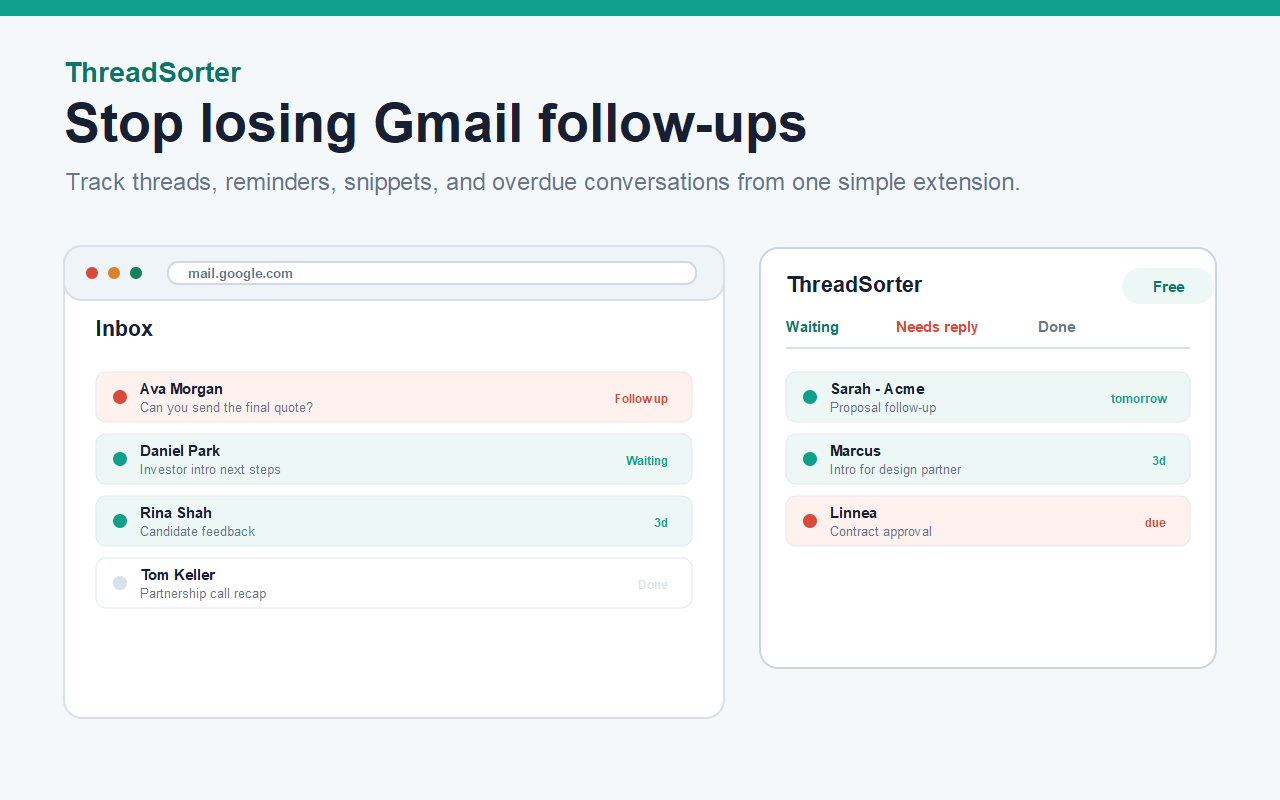
ThreadSorter turns Gmail into a lightweight follow-up CRM. Mark the threads that matter, choose a reminder date, and keep them visible until you actually reply. Everything stays inside Gmail. No imports, no second tool, no tracking pixels, no signature footers, no spam blast features.

The product sits between raw Gmail labels and a heavyweight CRM. It is the missing middle for people whose real inbox is already their workflow.

🚀 How It Works

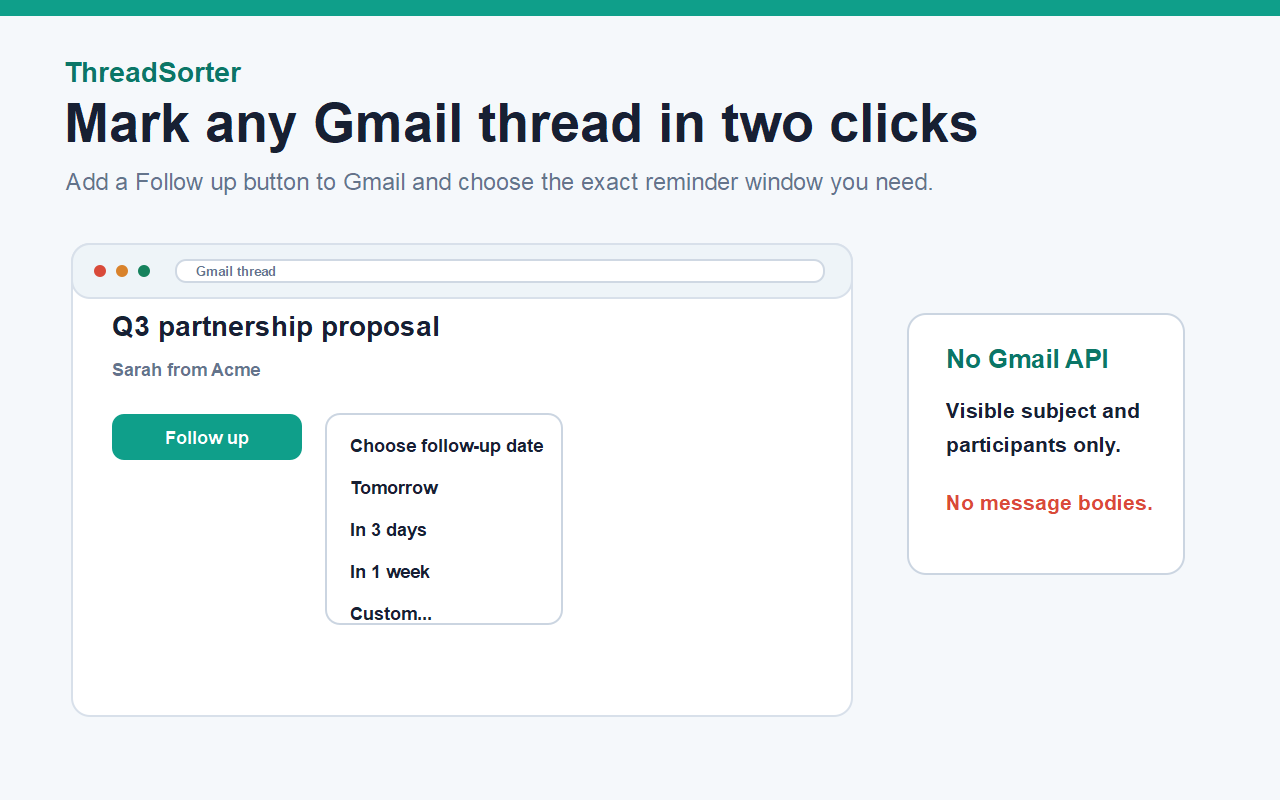
Once installed, ThreadSorter adds a single Follow up control to your Gmail thread view:

▸ Open a Gmail conversation and click Follow up.
▸ Pick a reminder window: tomorrow, in 3 days, in 1 week, or a custom date.
▸ See the thread land in your Waiting list, ready to surface when it is due.

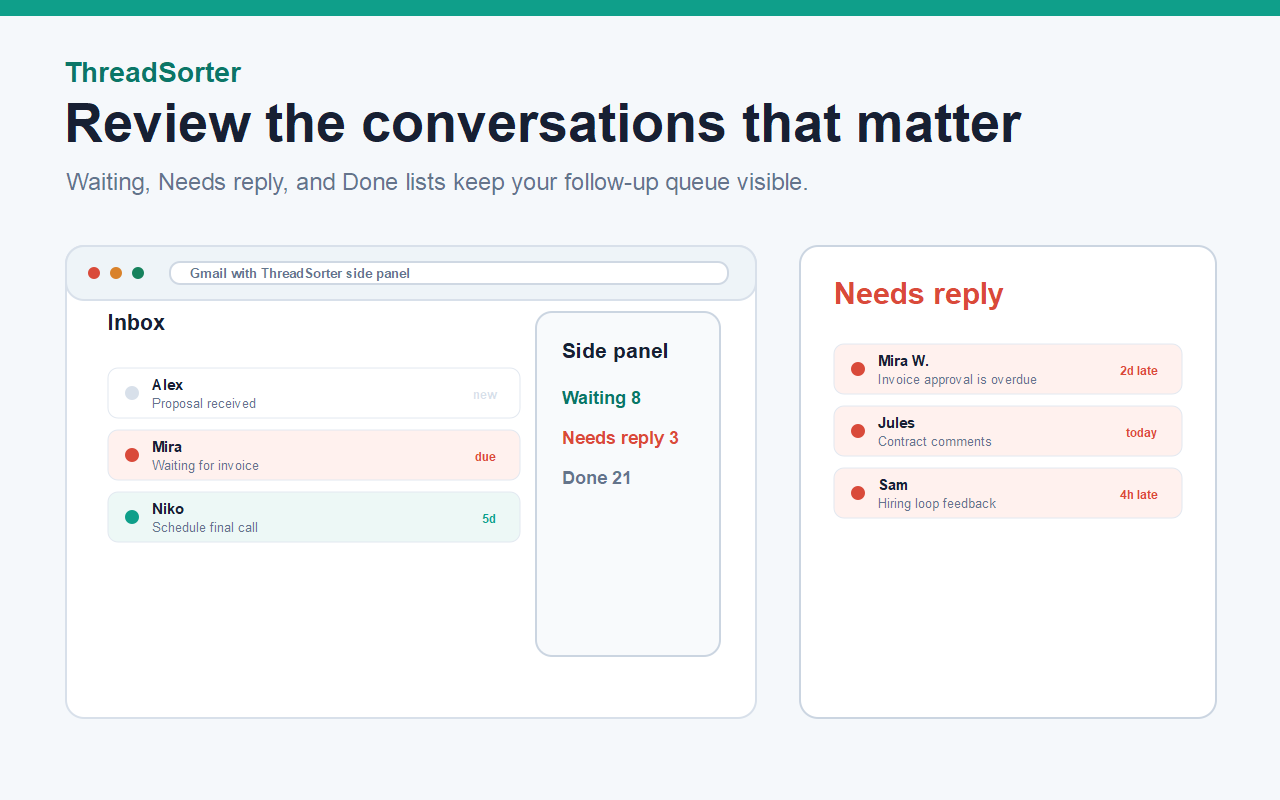
The toolbar badge counts overdue follow-ups, the popup gives you a three-tab view of Waiting, Needs reply, and Done, and you can clear a thread in one click after you reply manually in Gmail.

👥 Perfect For

💼 Freelancers and consultants
Quotes, project approvals, and unpaid invoices need to be chased without a heavy CRM. Track the threads that bring in revenue, set one reminder per client, and stop guessing who you owe a reply to.

🚀 Founders and operators
Investor updates, partnership intros, and pilot conversations all live in Gmail. ThreadSorter keeps the warm threads visible without forcing a CRM workflow that nobody on the team will actually maintain.

🎯 Recruiters and talent partners
Candidate loops, debriefs, and offer follow-ups span weeks. A simple Waiting and Needs reply queue keeps each candidate visible without copying threads into a spreadsheet.

🏢 Agency owners and account managers
Client feedback, approval cycles, and deliverable handoffs all need polite nudges. Every account thread gets a clear status and a due date.

✨ Key Features

✅ Follow-up reminders on any Gmail thread
Pick tomorrow, in 3 days, in 1 week, or a custom date. The toolbar badge counts overdue threads so you can clear the queue first thing in the morning.

✅ Waiting, Needs reply, and Done lists
Every tracked thread lives in one of three lists, so your follow-up state is always one click away from the toolbar popup or the Gmail side panel.

✅ Reply snippets and Gmail templates
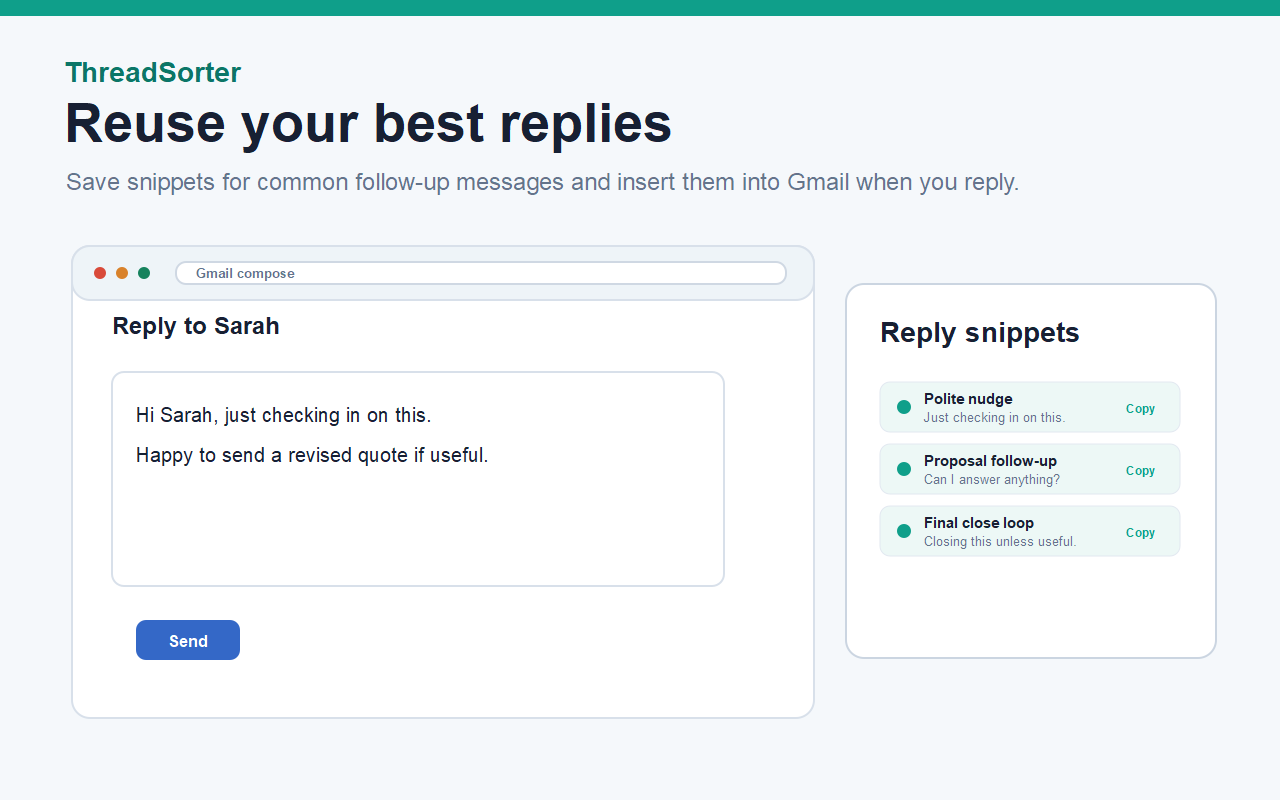
Save the polite nudge, the proposal recap, and the closing line you use over and over. Drop them into Gmail compose when you are ready to send.

✅ Local-first storage
Tracked threads, settings, and snippets sit in Chrome local storage on your device. The extension does not maintain a remote database for the free product, and you can export your data as JSON from the settings page.

✅ No message body reads
The extension reads only the visible thread subject, the visible participant names, and the Gmail thread URL. Message bodies are never read or transmitted.

✅ No tracking pixels and no automatic sending
ThreadSorter does not inject pixels into outgoing email, does not add signatures or footers, and never sends mail on your behalf. You reply manually in Gmail.

📖 How to Use ThreadSorter

After installing from the Chrome Web Store, set yourself up in under a minute:

→ Pin ThreadSorter to your Chrome toolbar so the badge and popup are always one click away.
→ Open Gmail and click into any conversation that needs a follow-up.
→ Click the Follow up control next to the subject and choose a reminder window.
→ Review your Waiting and Needs reply lists from the toolbar popup every morning.
→ Reply manually in Gmail and mark the thread Done when the loop is closed.

💡 Pro Tips

💡 Treat your Waiting list like a short to-do queue: if it grows past 10 active threads, that is a signal to clear three before adding more.
💡 Save your three most common follow-up lines as reply snippets so the polite nudge is one click away when you need it.
💡 Enable desktop notifications for due reminders if you live outside Gmail during the day.
💡 Use a custom reminder date for high-value threads like investor intros and contract approvals so they never compete with low-stakes nudges.

❓ Frequently Asked Questions

Q: Does ThreadSorter send emails for me?
A: No. The extension never sends mail. You reply manually in Gmail and then mark the thread Done.

Q: Does it read my message contents?
A: No. ThreadSorter reads only the visible thread subject, visible participants, and the Gmail thread URL. Message bodies stay private.

Q: Is there a tracking pixel?
A: No. There are no pixels in outgoing mail, no injected signatures, and no footers added to your replies.

Q: How many follow-ups can I track for free?
A: Up to 10 active tracked threads and 3 reply snippets. The Pro plan unlocks unlimited tracked threads and unlimited snippets.

Q: Does it work with Google Workspace inboxes?
A: Yes. It works on any Gmail-served inbox at mail.google.com, including Google Workspace accounts.

Q: Is my data synced to the cloud?
A: Tracked threads and snippets live in Chrome local storage on your device by default. Only the Pro license state is checked against the Peak Productivity license API.

Q: What happens if I uninstall the extension?
A: Tracked threads and snippets are removed with the extension. Export your local data as JSON from the settings page first if you want a backup.

⚡ Performance and Compatibility

• Chrome Manifest V3 compliant
• Runs only on https://mail.google.com/*
• No remote scripts: every JavaScript file is bundled and verified at build time
• Reminder check runs on a 15 minute alarm, no constant polling
• Works on Chromium-based browsers that support Manifest V3 extensions

🏆 Why Choose ThreadSorter?

✓ A focused Gmail follow-up tool that does one job and does it well, with no setup and no CRM migration
✓ A clear free plan with a fair Pro upgrade path, with no lifetime hooks and no one-time gimmicks
✓ Local-first by default, with a privacy posture that respects how email actually works
✓ Built and supported by the team behind several other Gmail-friendly Chrome extensions

🎬 Get Started Now

★ Install ThreadSorter from the Chrome Web Store
★ Pin the toolbar icon for one-click access to your Waiting list
★ Open Gmail and click Follow up on the first thread that has been sitting too long
★ Review the Waiting list tomorrow morning and clear what is due

⭐ Love ThreadSorter? Leave a Review!

Reviews are the single biggest signal the Chrome Web Store uses to surface useful extensions, and they are the fastest way to help another Gmail user find this tool. Every review is read, and feature ideas often land in the next release.

📧 Support and Feedback

Found a bug or have a feature idea? Reach out and we will respond personally.

Email: support@peakproductivity.online
Website: https://peakproductivity.online/threadsorter/

If a Gmail layout change ever breaks a follow-up control, send a screenshot and it goes into the next build.

───────────────────────────────

ThreadSorter, the Gmail follow-up CRM that lives in your toolbar.
Category: Productivity
Language: English (United States)
Graphic assets
Upload the files at these local paths. Previews load from the live site. Dimensions are verified against the CWS spec.
Store icon (128x128, required)

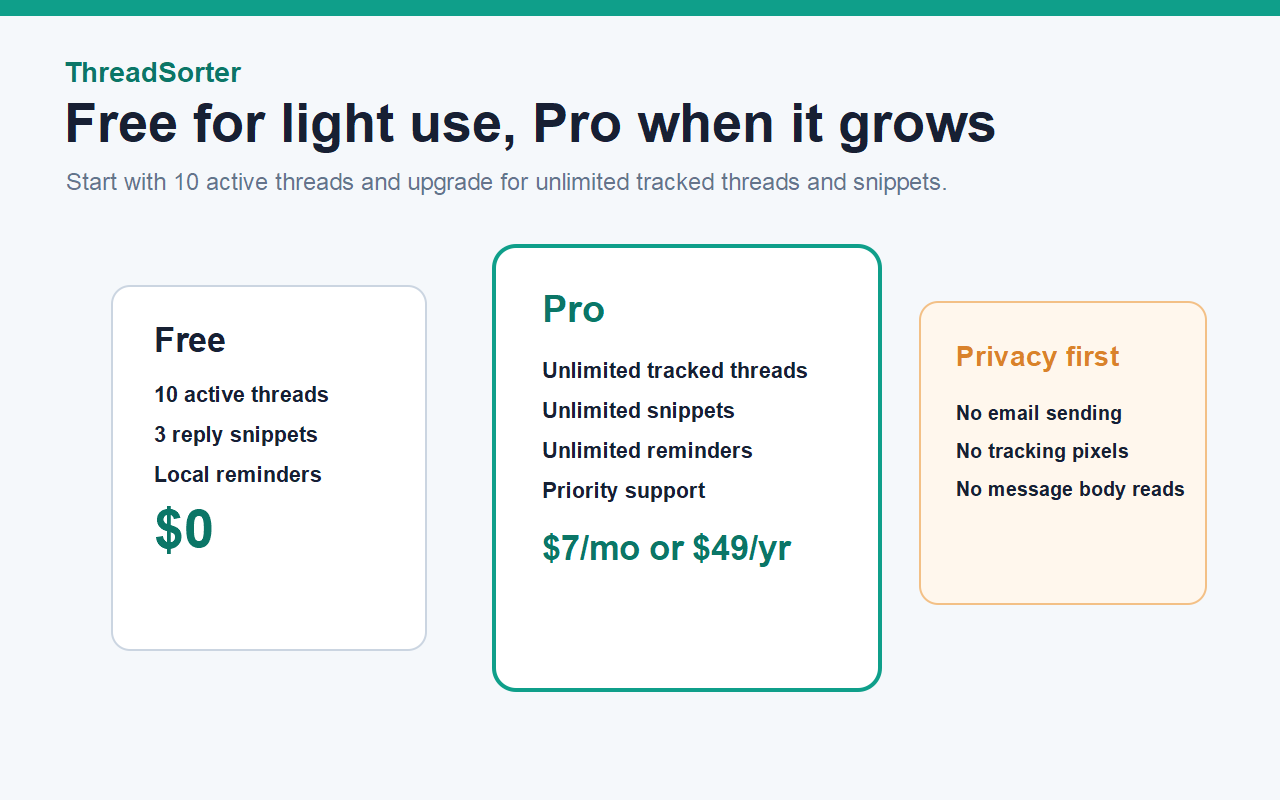
Screenshots (1280x800, at least 1, up to 5)
Small promo tile (440x280, required for featuring)
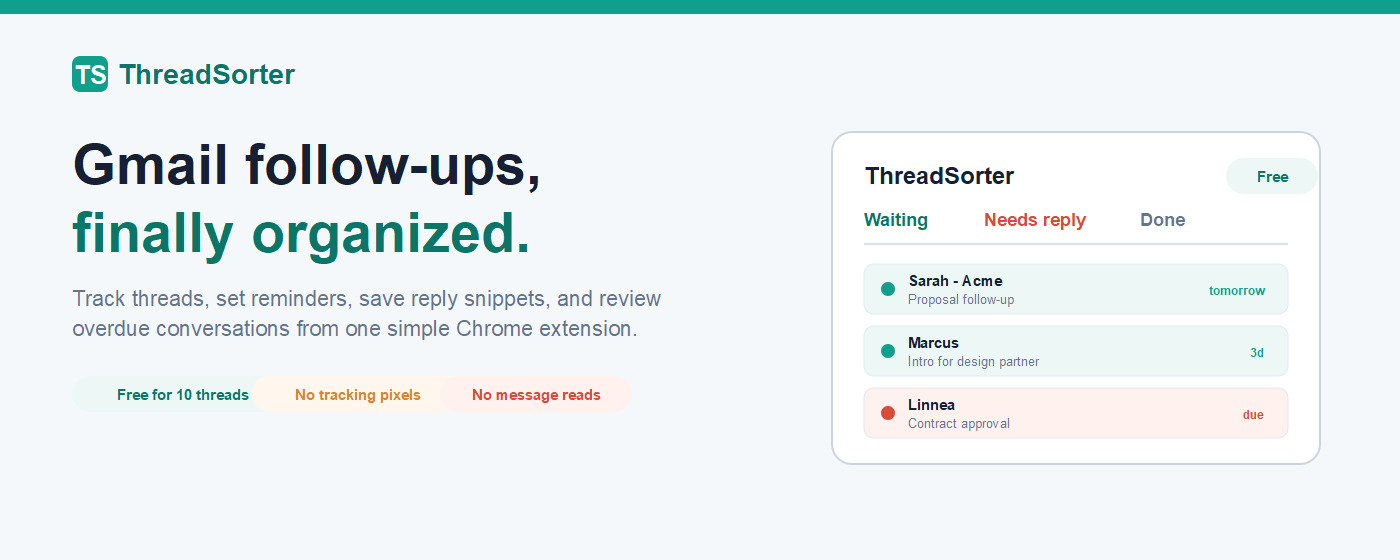
Marquee promo tile (1400x560, optional)
Official URL / Homepage
45 chars
https://peakproductivity.online/threadsorter/
Support URL
53 chars
https://peakproductivity.online/threadsorter/support/
2 Privacy practices tab
Every field here must be filled or the publish call is rejected.
Single purpose
377 / 1000
Why the extension exists, one purpose.
ThreadSorter is a Gmail follow-up CRM. Its single purpose is to let the user mark Gmail threads for follow up, choose reminder dates, and review those follow-ups from the toolbar popup or the Gmail follow-up panel. It stores the resulting record in Chrome local storage. It does not send emails, does not read message bodies, and does not inject content into outgoing messages.
Permission justifications
storage
253 / 1000
Stores tracked Gmail threads, reply snippets, settings, and the optional Pro license token in Chrome local storage on the user's device. No remote database is used. Storage is essential because the extension must remember which threads need a follow-up.
alarms
191 / 1000
Used to check every 15 minutes whether any follow-up reminder has come due, then move the matching thread to Needs reply and update the toolbar badge. Also used for the daily license refresh.
notifications
203 / 1000
When the user enables desktop notifications, ThreadSorter posts a chrome.notifications entry the moment a Gmail follow-up reminder comes due. Notifications are user-controlled and toggleable in settings.
Host permission (https://mail.google.com/*)
213 / 1000
Access to https://mail.google.com/* is needed to inject the Follow up button into Gmail thread views and read the visible thread subject and participants. ThreadSorter does not request access to any other website.
Remote code
Are you using remote code? No
Select No. Every script is bundled and verified by the build-time remote-code linter.
Data collection
Check only the boxes marked on. Leave the rest unchecked.
- Personally identifiable information
- Health information
- Financial and payment information
- Authentication information
- Personal communications
- Location
- Web history
- User activity
- ✓Website content (check this)
Data usage detail (Website content)
309 chars
ThreadSorter reads the visible Gmail thread subject, visible participant names, Gmail thread URL, and reminder date so the follow-up card has context. Message bodies are never read or transmitted. The extension contacts Peak Productivity only for checkout, license checks, and optional anonymous usage events.
Data use certifications (check all three)
- ✓I do not sell or transfer user data to third parties, outside of the approved use cases.
- ✓I do not use or transfer user data for purposes that are unrelated to my item’s single purpose.
- ✓I do not use or transfer user data to determine creditworthiness or for lending purposes.
Privacy policy URL
53 chars
https://peakproductivity.online/threadsorter/privacy/
3 Distribution tab
Visibility: Public
Regions: All regions
Pricing: Free (Pro is an in-extension subscription)
4 Localized listings
54 locale payloads (summary + description) are ready. Push them with the CWS Locale Uploader rather than pasting one by one. Each file is store/cws-locales/_locales/<locale>/messages.json with shortDesc and storeDesc.
Locale payload folder
51 chars
C:\Projects\ThreadSorter\store\cws-locales\_locales