Find every broken link before Google does
Open the current page, click once, and get 404, redirect, and timeout results with their HTTP status codes. No site crawl is required, and no account is needed.
Free up to 50 links per day · No sign-up · Scan the current page
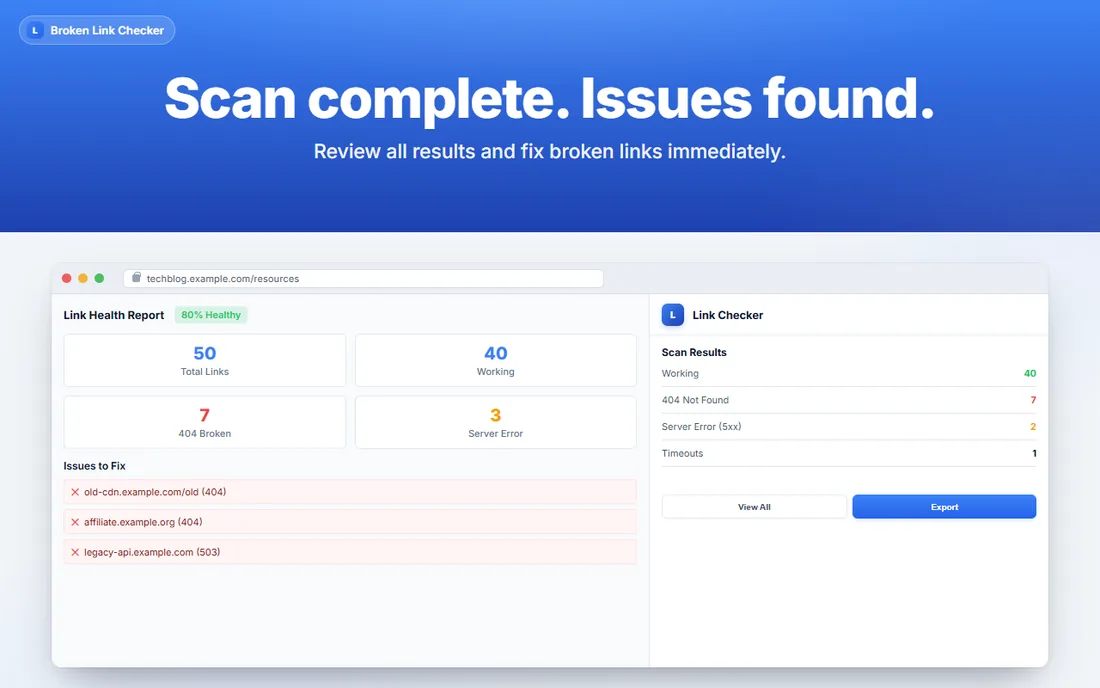
- Scan data stays localOptional analytics never include page URLs, link targets, page content, or personal information
- No install warningsPage access is optional and asked for at first scan
- Real status codes200, 301, 404, 410, 500 and timeouts, not guesses
- 56 languagesLocalised interface
Broken links stay invisible until they cost you
A dead link can frustrate visitors and make a page harder to maintain. Find the result while you are already looking at the page.
Link equity leaks away
A broken internal link creates a poor path for visitors and can hide a maintenance problem until someone reports it.
Dead links are easy to miss
Content changes, moved pages, and expired resources can leave broken links behind. A current-page scan makes those links visible while you work.
Rot arrives with every edit
Migrations, CMS tidy-ups, expired partner pages and renamed PDFs all add fresh 404s. The usual way to find out is a client noticing first.
Three clicks, about ten seconds
No project setup or site crawl is required.
Open the page you care about
Open the page you want to check in your browser.
Hit Scan
Links on the current page are checked and classified by their response results.
Sort, fix, export
Review broken, redirect, and timeout results. Pro users can export the report to CSV.
Built for people who audit sites for a living
Check the current page and review clear status results.
The actual status code
404, 410, 403, 500 or timeout, read from the real response. You know whether a URL is gone for good or just refusing your request.
Redirects flagged
See which links resolve through a redirect and where they land, so you can point them at the final URL instead of paying the hop.
Timeout results
See which checked links time out so you can review them instead of treating them as confirmed working links.
Broken links first
Results sort by severity, not by page order. The problems are at the top when the scan finishes, not buried in a list of 200s.
CSV your client will read
Pro users can export URL and status results to CSV for an audit or dev ticket.
Local link checks
Link checks run in your browser. If you opt in, anonymous feature-use and reliability analytics exclude page URLs, link targets, page content, and personal information.
Clear results for the current page
Use the extension when you want a quick check of the page open in your browser.
| Free | Pro | |
|---|---|---|
| Scan scope | Current page | Current page |
| Daily link limit | 50 links | Unlimited |
| HTTP status results | Yes | Yes |
| Redirect and timeout results | Yes | Yes |
| CSV export | No | Yes |
| Price | Free | $8/month or $60/year |
For a full-site audit, use a separate crawler. This extension focuses on the current page.
Free for everyday checks
The free plan is a real tool, not a demo. Upgrade only when volume demands it.
Free
For checking pages as you work
- 50 links checked per day
- Real HTTP status codes
- Redirect and timeout detection
- CSV export is a Pro feature
Pro
For agencies and daily auditing
- Unlimited current-page scans
- HTTP status, redirect, and timeout results
- CSV export
- $60/year option
Choose monthly for $8 or yearly for $60.
The questions people actually ask
I already own a crawler. Why would I use this?
This checks the page in front of you without setting up a site crawl. It is useful when you want to review one page while you edit or publish it.
What permissions does it need, and why?
Installing asks for almost nothing. The first time you scan, Chrome asks permission to read the pages you check, because reading a link's real status code requires actually requesting it. Decline and nothing is scanned. Nothing runs on pages you never scan.
Do my URLs get sent anywhere?
Link checks run from your browser to the links being checked. If you explicitly opt in, anonymous feature-use and reliability analytics may be sent, but they exclude page URLs, link targets, page content, and personal information.
What exactly is the free limit?
Free use covers 50 links per day. Pro removes that limit for current-page scans and costs $8 a month or $60 a year.
Why do some links come back unverified?
Some servers block automated requests, rate-limit repeat visitors, or refuse HEAD requests. Those are reported honestly as unverified rather than guessed at, so you can check them by hand instead of chasing a false 404.
Does it follow redirects?
Redirect results are identified so you can review links that do not go straight to their destination.
Find out what's broken on your site
Free use covers up to 50 links per day. Scan the current page and review its results.
Add Broken Link Checker to Chrome