πŸ›‘οΈ 100% local Β· privacy-first

See the camera, settings & GPS behind any photo

EXIF Viewer reveals the hidden metadata in any image, shows where it was taken on a map, and strips EXIF and GPS data before you share. Every photo is read on your own device, so nothing is ever uploaded.

Free forever for viewing & the GPS map. No account needed.

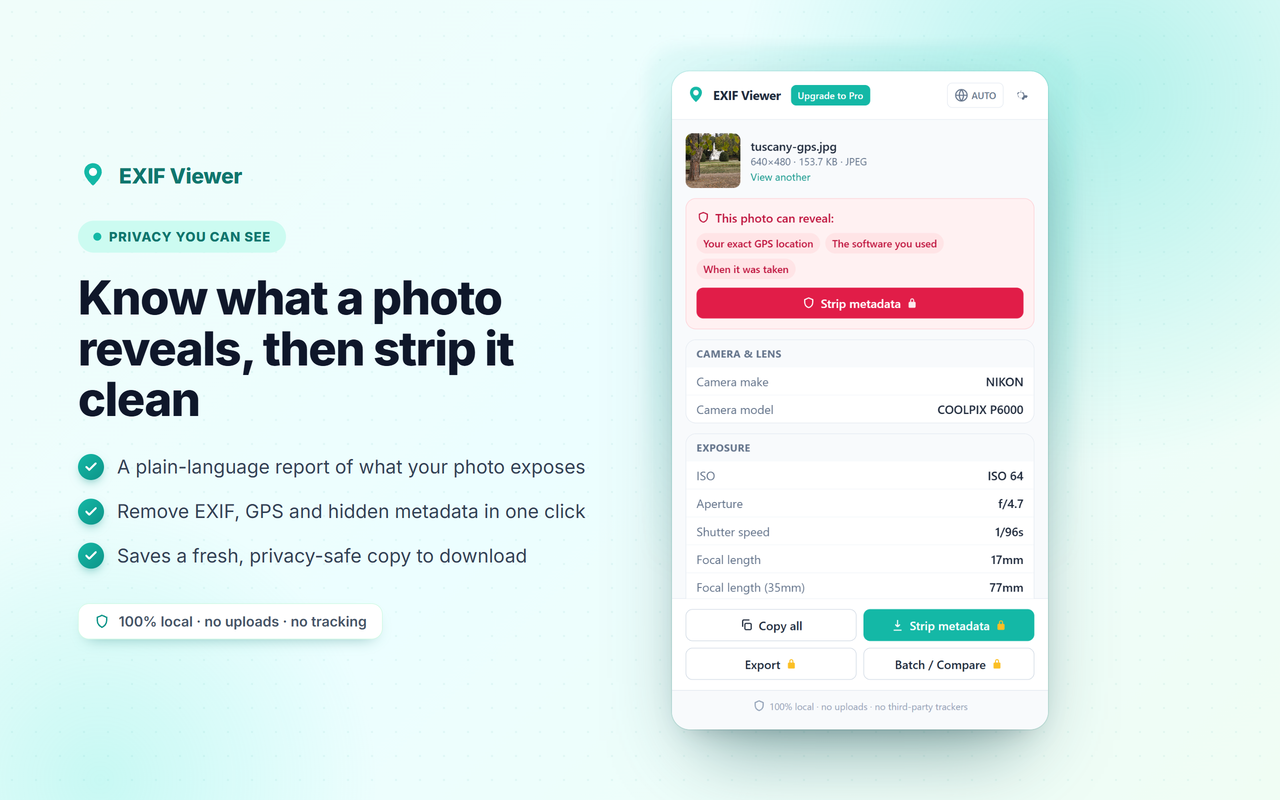
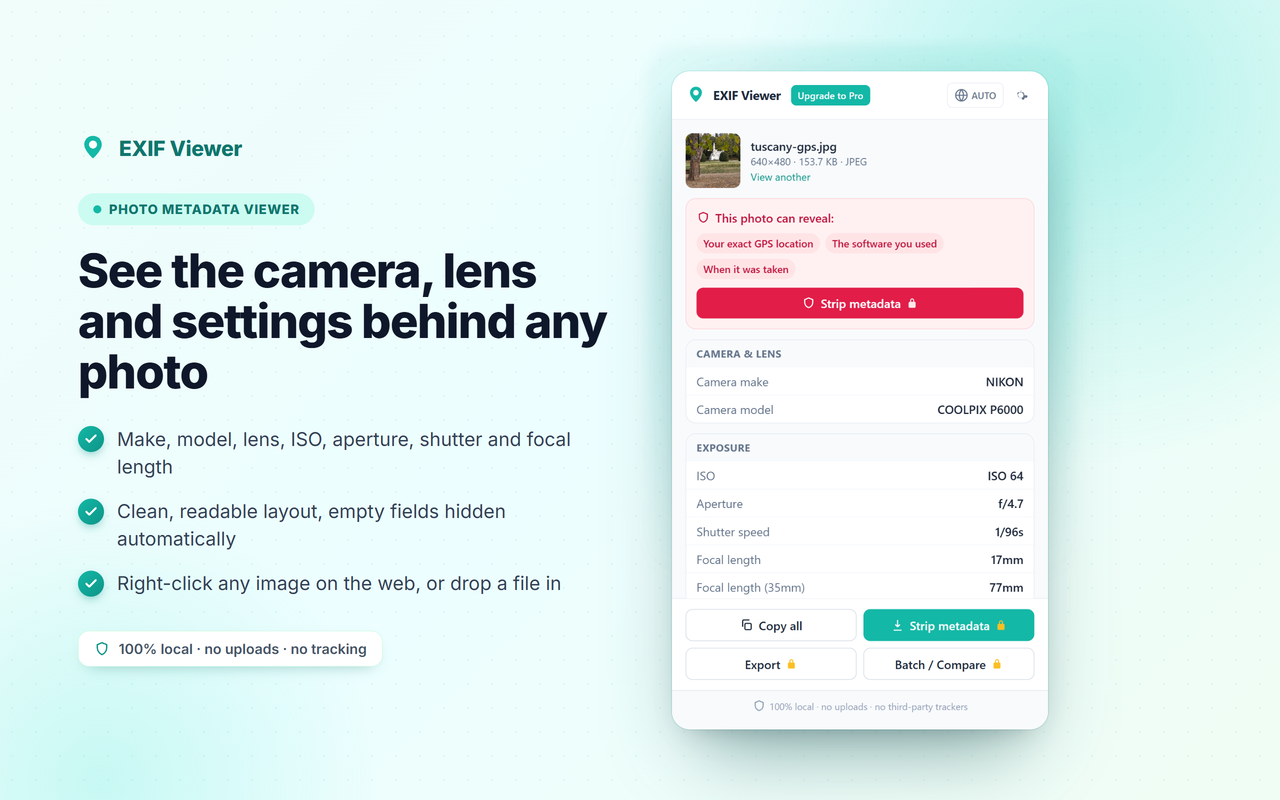
EXIF Viewer showing a photo's camera, lens and exposure metadata
100%
parsed locally
0
photos uploaded
0
trackers
4
permissions, that's it

The privacy-first EXIF viewer

Some popular EXIF extensions have been caught injecting tracking code into every page you visit. EXIF Viewer does the opposite: it never touches the pages you browse, never injects scripts, and never uploads your photos. The only requests it makes go to our own server at peakproductivity.online: an anonymous license check and anonymous aggregate usage events (no personal data, no photos). No third-party analytics SDKs and no advertising networks, ever.

Reads locally
Metadata is parsed in your browser. Your images never leave your computer.
No page access
No <all_urls> permission. It can't read the sites you visit.
No third-party trackers
No analytics SDKs injected into pages. No ad networks. No selling of data, ever.
Everything you need to read & clean photo metadata

πŸ“·

Full EXIF metadata

Camera make, model, lens, ISO, aperture, shutter speed, focal length, timestamp and more, laid out cleanly, with empty fields hidden.

πŸ—ΊοΈ

GPS on a map

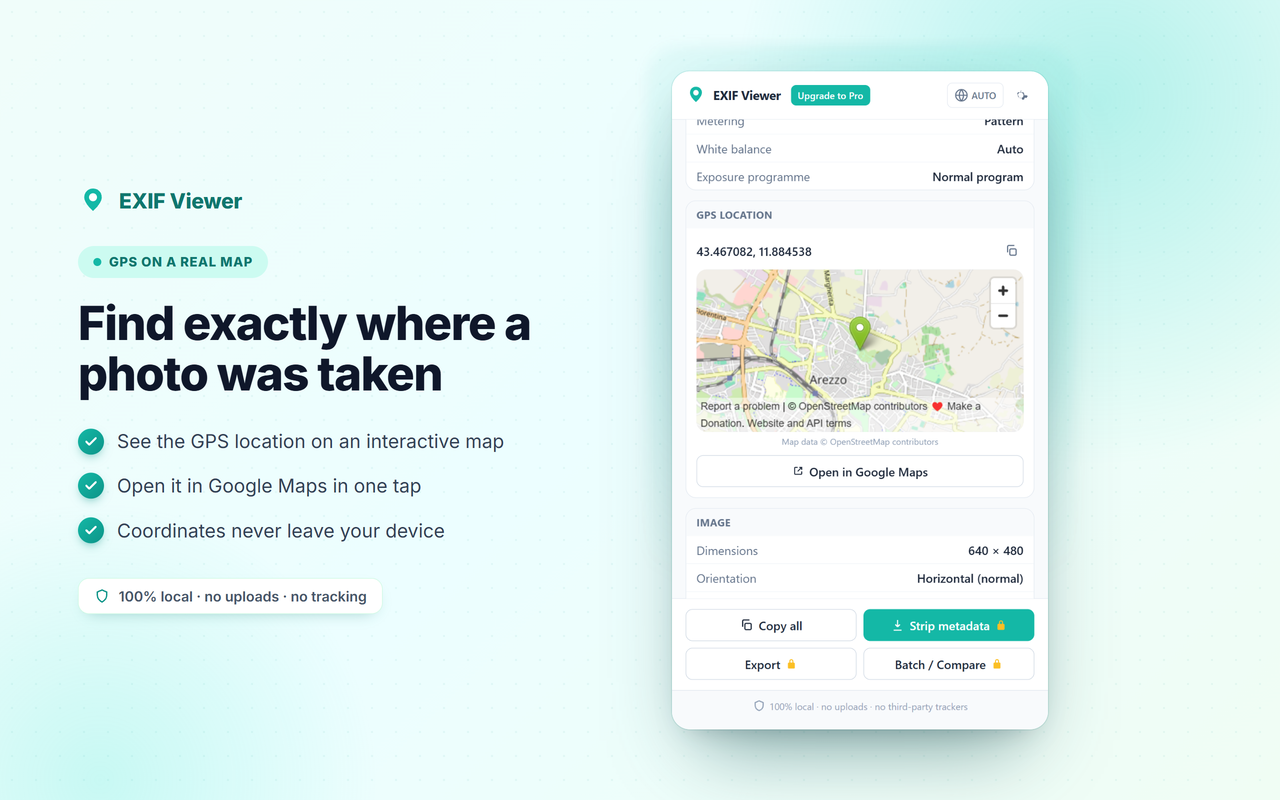
See exactly where a geotagged photo was taken on an interactive map, and open it in Google Maps with one tap.

πŸ›‘οΈ

Privacy report

A plain-language summary of what each photo can reveal about you: GPS, camera serial, owner name, software and timestamps.

βœ‚οΈ

Remove EXIF data

Strip all metadata and download a clean, privacy-safe copy before you post a photo online. Pro

πŸ“

Batch & export

View and clean a whole folder at once, and export metadata to CSV or JSON for cataloguing. Pro

βš–οΈ

Compare photos

Line up two images side by side and instantly spot the differences in their settings. Pro

How it works

1

Right-click or drop

Right-click any image on the web and choose "View EXIF metadata", or drop a file straight into the popup.

2

Read everything

EXIF Viewer parses the file on your device and lays out the camera, exposure, date and GPS sections.

3

Strip & share

Click Strip metadata to save a clean copy with all EXIF and GPS removed, ready to share safely.

GPS location of a photo shown on a map Privacy report showing what a photo reveals

Simple pricing

Viewing metadata and the GPS map are free forever. Pro unlocks the power tools.

Free
$0
  • βœ“ View full EXIF metadata
  • βœ“ GPS location on a map
  • βœ“ Privacy exposure report
  • βœ“ Copy any field
  • βœ“ Right-click any image
Add to Chrome
PRO
Pro
$3/mo or $19/yr
  • ✦ Everything in Free
  • ✦ Remove EXIF & GPS (clean copy)
  • ✦ Batch view & strip a folder
  • ✦ Export to CSV / JSON
  • ✦ Compare two photos
Get Pro

Frequently asked questions

Does EXIF Viewer upload my photos?

Never. Every image is read on your own device, so no photo or metadata value ever leaves your computer.

Can it remove EXIF and GPS before I share?

Yes. With Pro you can strip metadata from one image or a whole batch and download clean copies, the safest way to remove EXIF data before posting.

Will it show where a photo was taken?

If the photo is geotagged, the GPS location appears on an interactive map and you can open it in Google Maps.

Why can't it read some images on the web?

A few sites block direct reading of their images. Just save the picture and drop it into the popup, and it works on every local file.

Which formats are supported?

JPEG, PNG, WebP, TIFF, HEIC and most RAW files carry EXIF metadata that EXIF Viewer can read.