1
Open any photo
Right-click an image on any web page and choose "View EXIF metadata", or open the popup and drop in a file from your computer. Nothing is uploaded.
 EXIF Viewer
Right-click any photo to see the camera, lens, settings, GPS location and hidden metadata behind it, then strip it clean before you share. 100% local. Your photos never leave your computer.
Get started in 3 steps
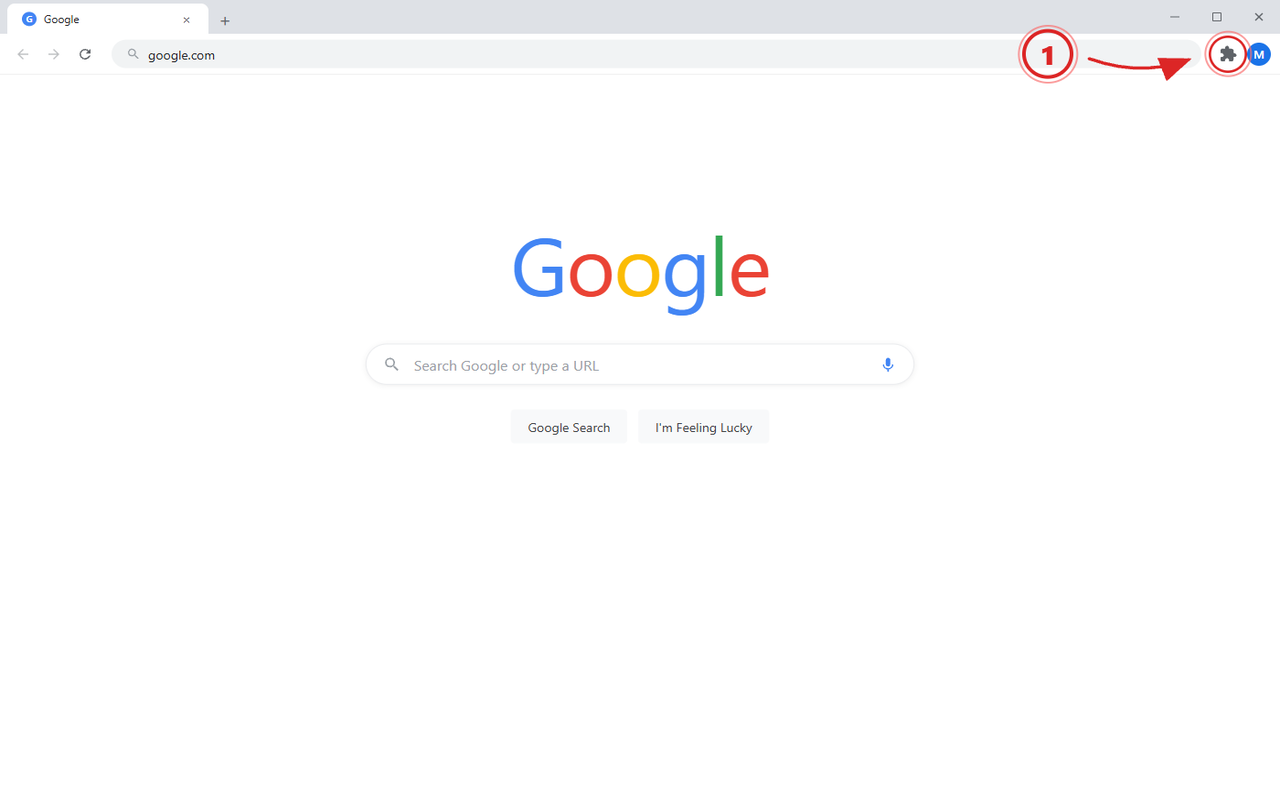
Most Chrome extensions disappear after install. Pin EXIF Viewer now so it is right there on every photo you want to check.
Open Chrome's extensions menu in the top-right corner so you can pin EXIF Viewer.
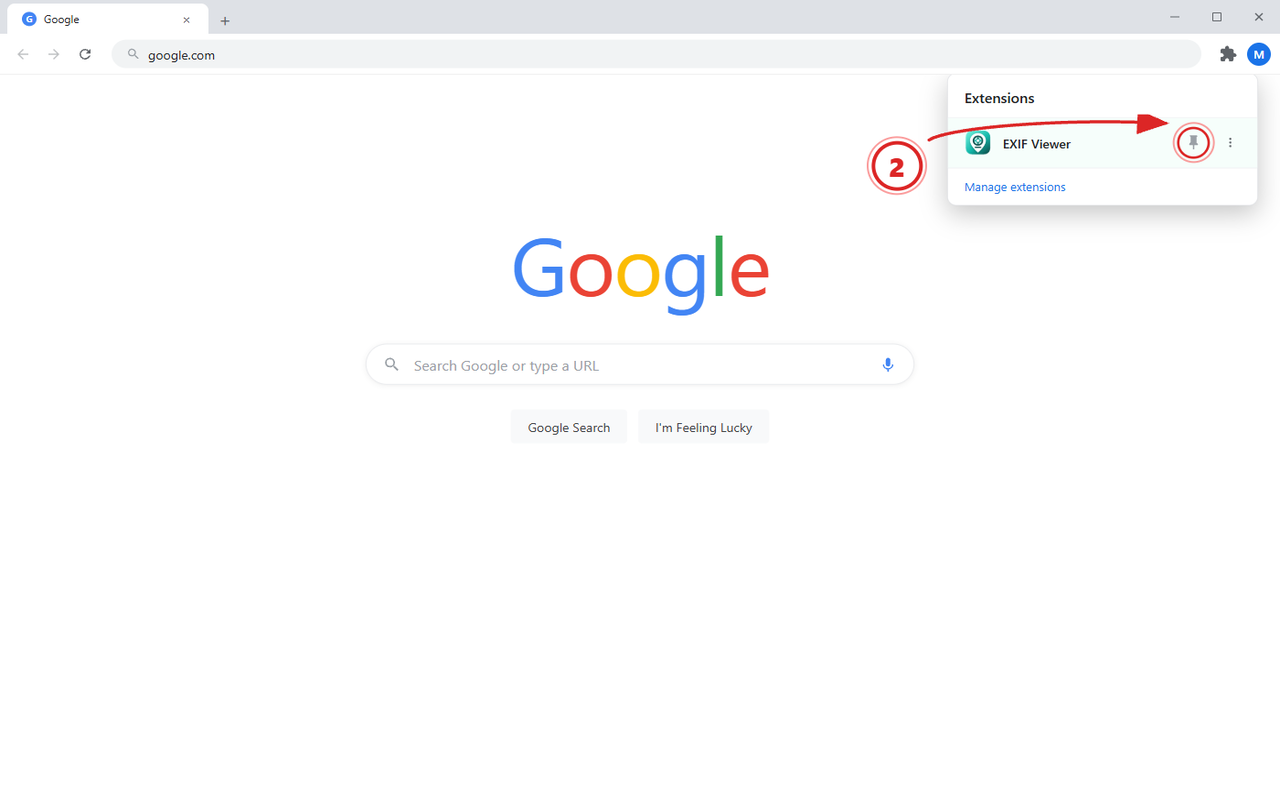
Find EXIF Viewer in the list and click the pin icon next to it so it stays visible.
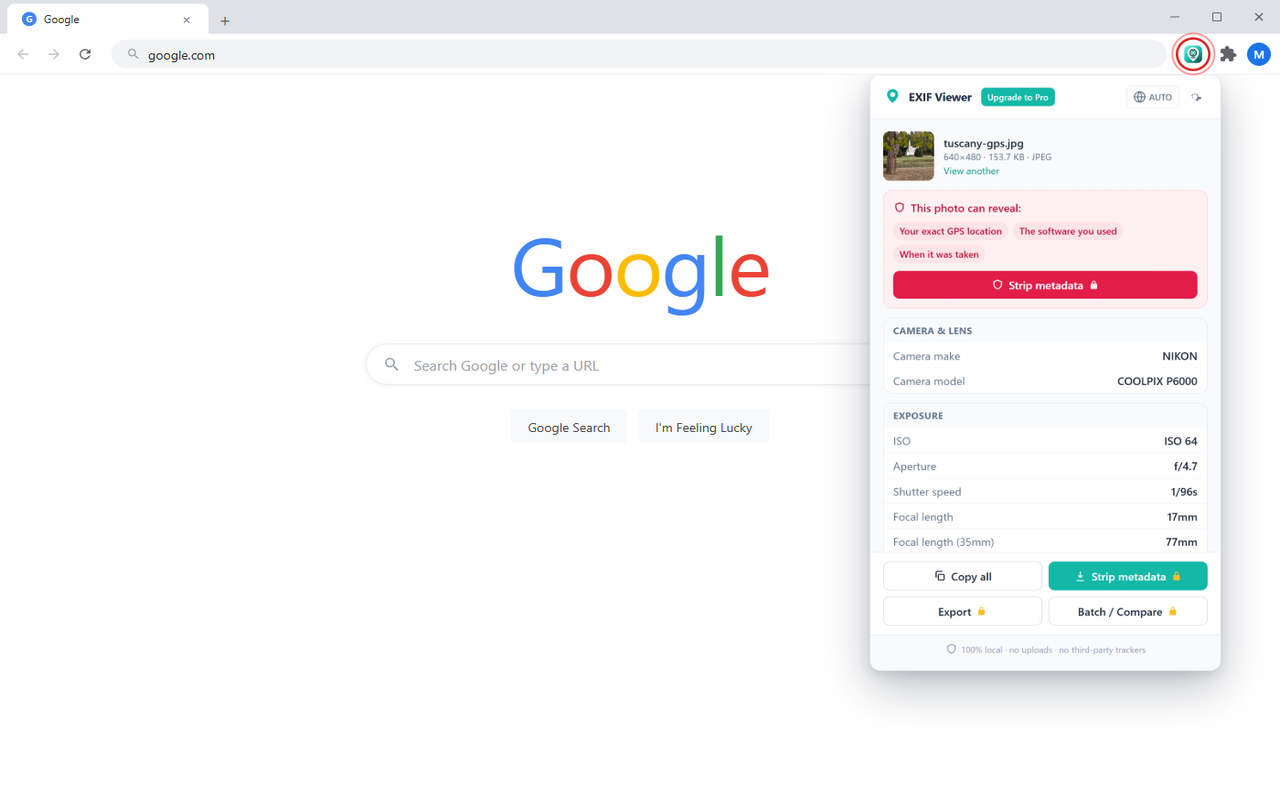
Click the pinned icon and drop in a photo, or right-click any image on the web and pick "View EXIF metadata".
How to use
EXIF Viewer reads the metadata baked into a photo, right in your browser, and shows it in a clean, readable layout.
Right-click an image on any web page and choose "View EXIF metadata", or open the popup and drop in a file from your computer. Nothing is uploaded.
Camera, lens, exposure, timestamps and GPS, all in one view, with a plain-language note on what the photo reveals.
One click removes EXIF, GPS and hidden metadata and saves a fresh, privacy-safe copy. With Pro, clean a whole folder at once.
Key features
Full metadata, a real GPS map, a privacy report you can act on, and a one-click clean, all parsed locally in your browser.
Make, model, lens, ISO, aperture, shutter speed, focal length, orientation and timestamps.
See exactly where a photo was taken on an interactive map and open it in Google Maps in one tap.
A plain-language report of what your photo exposes, location, serial number, owner, software, before you post it.
Remove EXIF, GPS and hidden data in one click and download a clean, privacy-safe copy.
Clean a whole folder at once, compare two photos side by side, and export metadata to CSV or JSON.
Every image is parsed on your own device. No uploads, no page tracking, and minimal permissions.
Upgrade to Pro
Read metadata and the GPS map free, forever. Pro adds metadata stripping, batch cleaning, compare and export.
Free plan
Pro plan
Just $1.58/mo, billed yearly · save 47%
lockSecure checkout by Stripe · cancel anytime
A short, practical checklist for the photos you upload, sell, send to clients, or archive, so you know what to check and what to strip before they leave your hands.
No spam. Unsubscribe anytime.
Reviewing shoots or writing captions and notes? StarWhisper turns your voice into text instantly so you can dictate straight into any app. Runs offline and keeps dictation on-device.
Free for personal use. One subscription unlocks Pro across every extension we make.