1
Save a real reply
In compose, click Templates then Save draft, or open the template manager. Add a title, an optional subject, and a //shortcut.
 Smart Templates for Gmail
Smart Templates lives inside Gmail compose. Save the replies you keep rewriting, give them a //shortcut, and drop them into any email in one click. Local-first, no login.
Get started in 3 steps
Most extensions disappear into Chrome's menu after install. Pin Smart Templates now so the Templates button is right there in every Gmail compose window.
Open Chrome's extensions menu (the puzzle piece) in the top-right toolbar, then click the pin next to Smart Templates for Gmail.
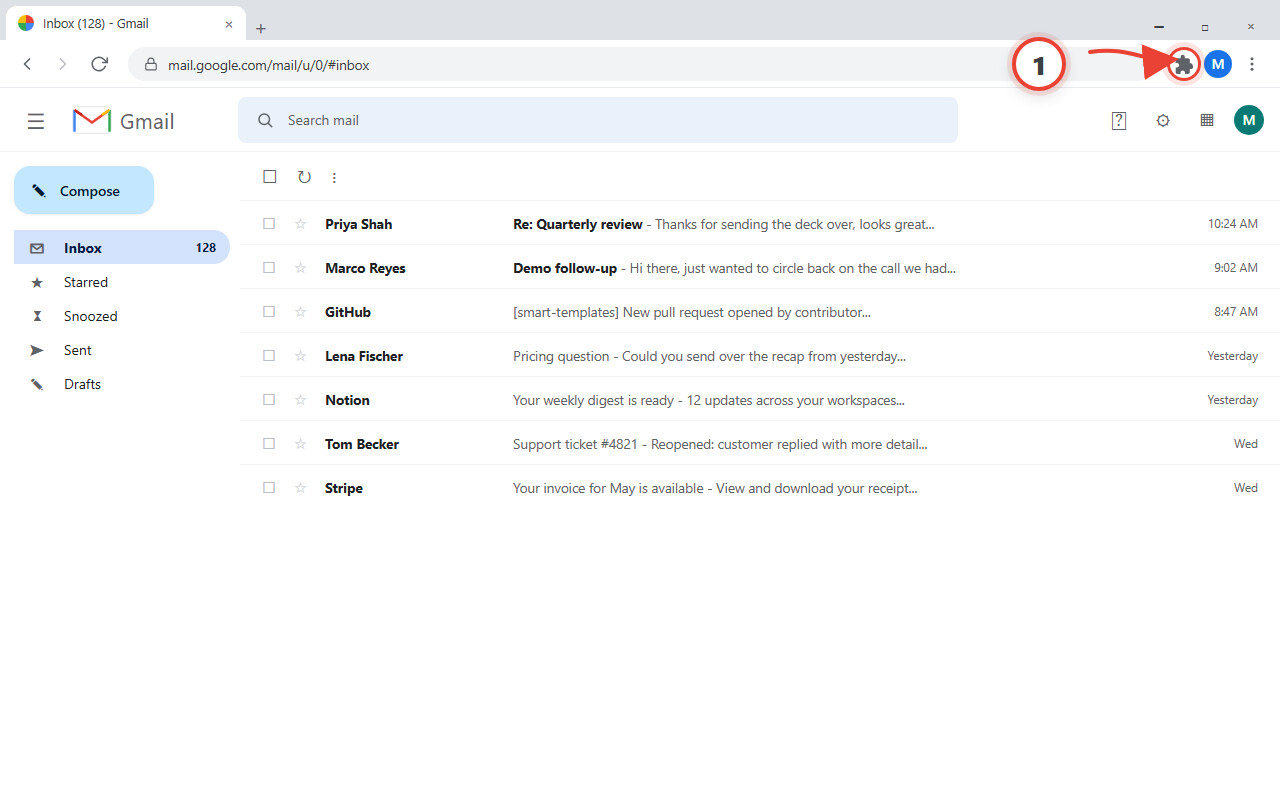
Find Smart Templates for Gmail in the list and click the pin icon. Its teal icon now stays visible in your toolbar.
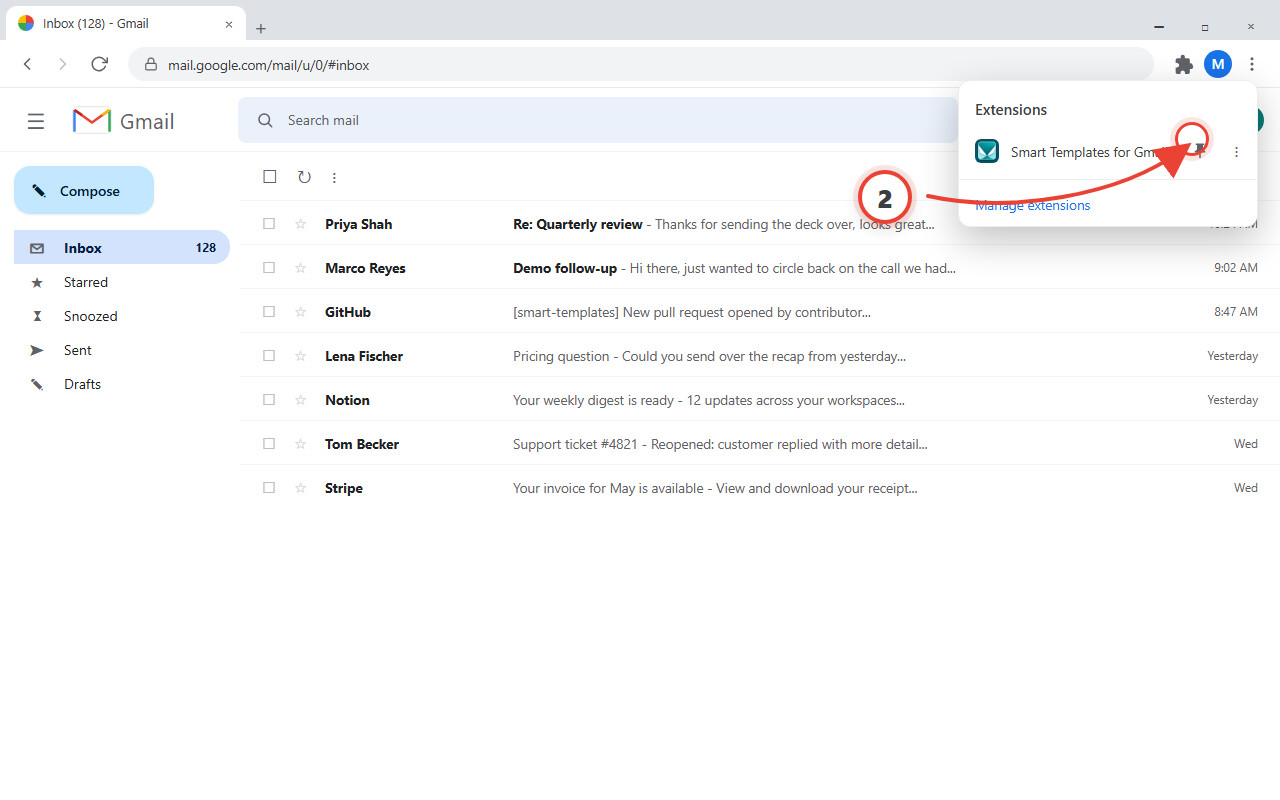
The popup gives you quick access to every saved template and a language picker. The full library lives in the template manager.
See it in Gmail
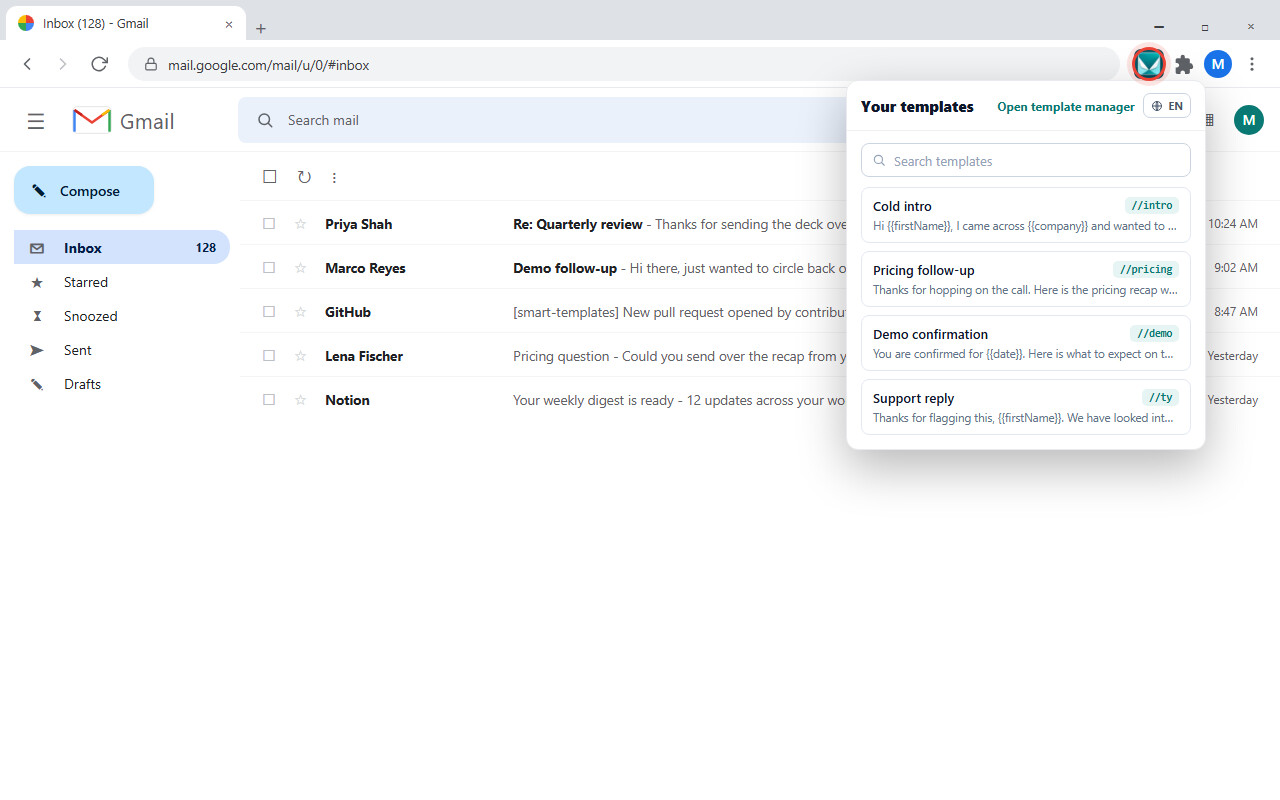
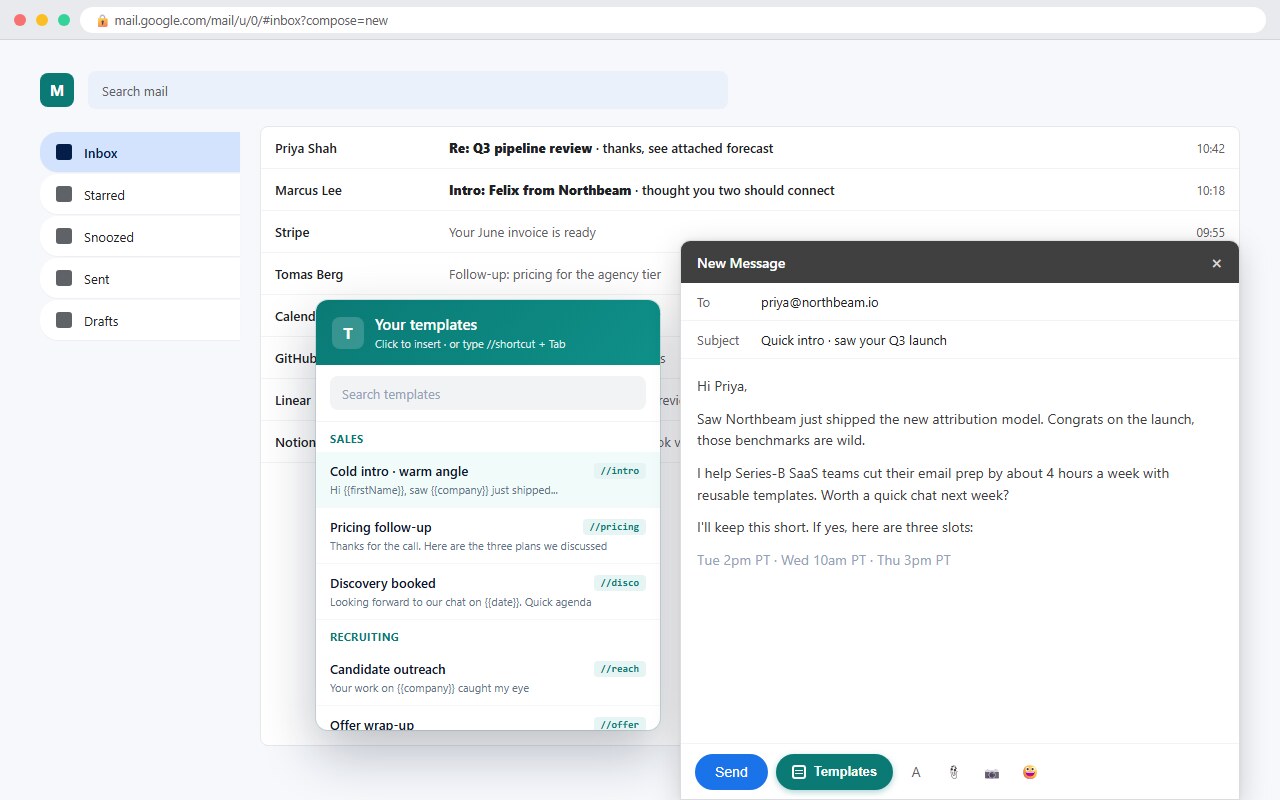
Open any Gmail compose window and the Templates button appears next to Send. Pick a template, or type its //shortcut and press Tab.
How to use
The fastest start is to save one real email you already send often, then try both ways to insert it.
In compose, click Templates then Save draft, or open the template manager. Add a title, an optional subject, and a //shortcut.
Pick it from the Templates panel, or type its shortcut and press Tab in compose. Press Ctrl+Space to open the panel anytime.
Drop {{firstName}}, {{lastName}}, {{company}}, or {{date}} into any template. They fill in as you insert, so every email still feels written by hand.
Key features
Fast insertion inside Gmail, real personalization, and your templates stored locally by default.
The Templates button sits next to Gmail's own send controls in compose, reply, and forward.
Expand any saved reply without leaving the keyboard. Ctrl or Cmd plus Space opens the panel.
Use {{firstName}}, {{lastName}}, {{company}}, and {{date}} so each insert is personalized.
Store a subject line with each template and have it set automatically when you insert.
Templates live in your browser storage. The extension works in compose without reading your whole mailbox.
Back up your library or move it between Chrome profiles as a simple JSON file.
Upgrade to Pro Pass
Free keeps 5 templates and 3 shortcuts forever, no login. Pro Pass removes the limits and unlocks the supported Peak Productivity bundle on one subscription.
Free plan
//shortcut expansionsPro Pass
Or $149 once for lifetime access.
//shortcut expansionsverified_user30-day money-back guarantee
You write a lot of email. StarWhisper turns spoken thoughts into text on-device, so you can talk out a reply, polish it, and save the best version as a Gmail template.


