1
Click the Extensions puzzle icon
Open the puzzle-piece menu in Chrome's top right corner. This shows every extension that is installed but not yet pinned to the toolbar.

 YouTube Study Notes Pro
Pin the extension, open a YouTube video with captions, and create timestamped notes, flashcards, and a short quiz from the transcript.
Three clicks to pin and launch. Do them once, then the workflow is one button on any captioned YouTube video.
Open the puzzle-piece menu in Chrome's top right corner. This shows every extension that is installed but not yet pinned to the toolbar.
Find the extension in the dropdown and click the pin icon next to it. The icon now sits in your toolbar so it is one click away on every YouTube tab.

On any YouTube video with captions, click the pinned icon. The popup shows the video, your weekly quota, and a Create study pack button. Press it to get a timestamped outline, flashcards, and a quick quiz.

The product is built for study, not a generic summary wall. Every output keeps the source timestamp.
Sections are grouped from the transcript with links back to the exact moment in the YouTube video.
Each pack includes short recall prompts and multiple-choice questions, generated locally from the transcript.
Mark a useful timestamp while reviewing, then jump back later without scrubbing through the whole video.
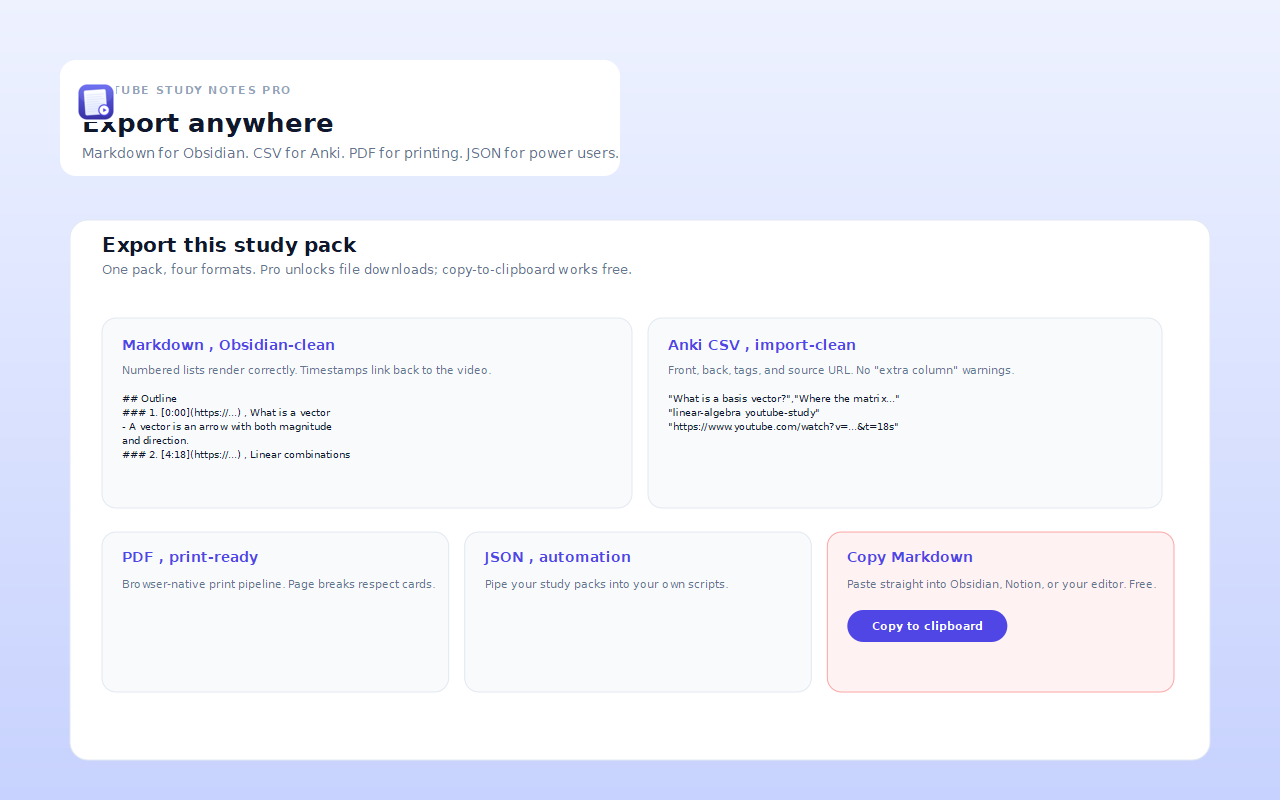
Export clean files for offline review, Obsidian, Notion, or Anki. Pro also unlocks long-video mode.
No lifetime cap surprise. No required account. The free tier is usable, and Pro removes limits for regular learners.
The extension should feel boring here. It reads only what is needed to create a pack after you click the button.
Study packs, notes, and settings are stored in chrome.storage.local on your device.
The popup reads the YouTube video you are currently viewing after you click the toolbar icon.
Downloads are used only when you export Markdown, Anki CSV, JSON, or printable files.
The extension reads YouTube caption tracks for the selected video. It does not require Notion, Google Drive, or a cloud account.
Keep these two shortcuts handy, and use the checklist if a video does not expose a readable transcript.
Open the latest pack or capture a moment without hunting through Chrome menus.
Use a video with a real caption track, reload the YouTube tab after installing, or try another available caption language. Burned-in video subtitles are not readable as transcript text.
Pro export keeps the structure useful outside the extension.
Other small utilities that pair well with learning, research, and browser work.
Free for personal use. One subscription unlocks Pro across every extension we make.